Offline Symantec Endpoint Protection
Install Symantec Endpoint Protection Manager (SEPM) on an isolated Windows Server, connect a Windows client, and transfer antivirus definitions from an internet-connected computer. This guide records a small Hyper-V lab in which SEPM and WSUS share the same server.
Lab tested 30 Oct 2026 SEPM 14.4 Windows Server 2025 Windows 11
Looking for screenshots? Start with the illustrated manager setup, client deployment, or offline definitions update.
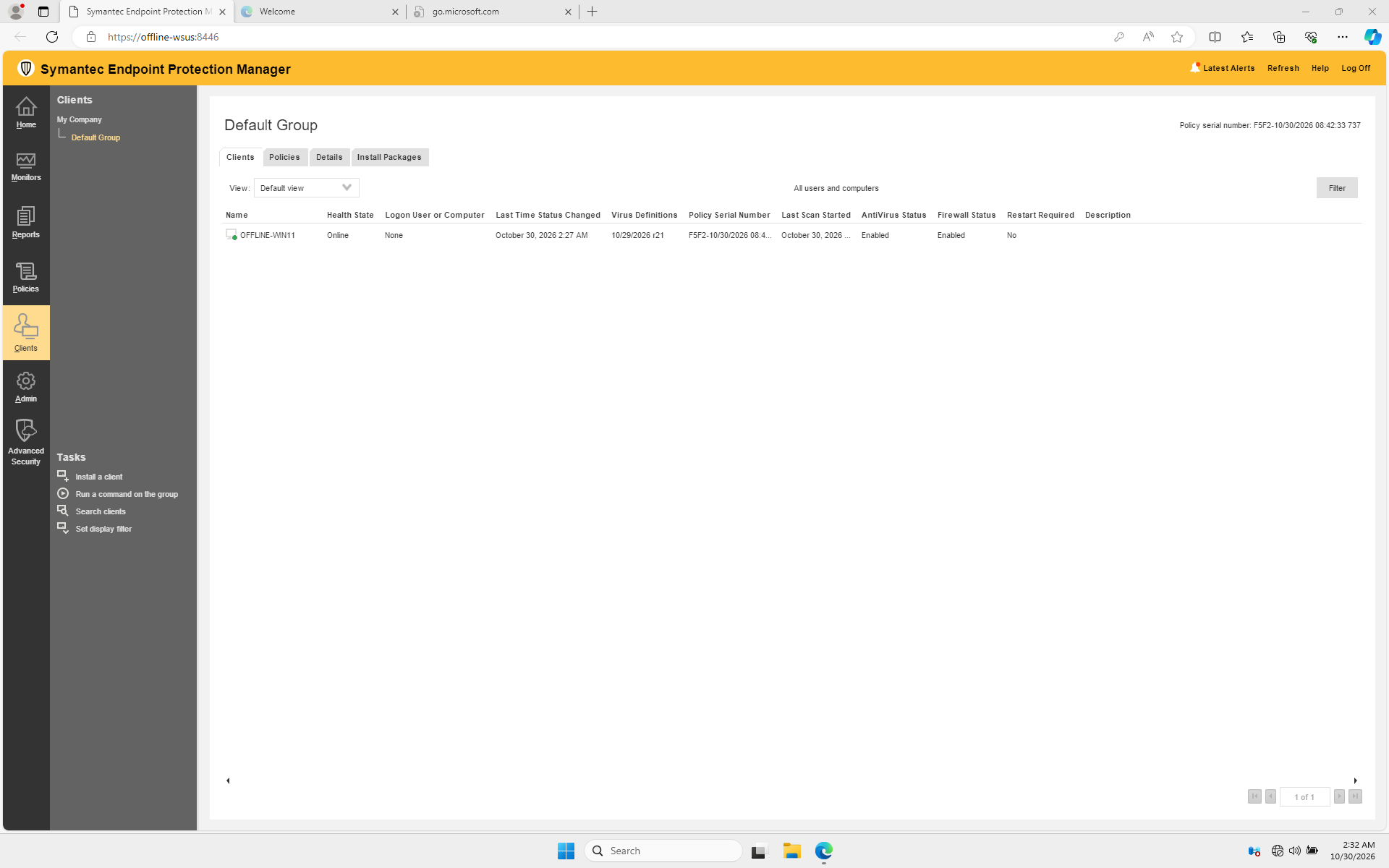
Lab result: the client is online and its Virus Definitions column shows 10/29/2026 r21.
Public examples
IP addresses and account details in the examples are placeholders. Screenshots show generic lab VM names; substitute your own values. Do not publish passwords, exported client packages, certificates or sylink.xml files: a managed package contains your site's communication settings.
How the lab is arranged
flowchart LR
  BC[Broadcom definitions] --> HOST[Internet-connected transfer computer]
  HOST -->|JDB file, transferred offline| SEPM[Offline server: SEPM and WSUS]
  SEPM -->|HTTPS: client management and content| CLIENT[Windows 11 SEP client]
  SEPM -->|WSUS: Windows updates| CLIENT
The lab used an internal Hyper-V switch shared by the host and the two offline VMs. Neither guest had a default gateway. The host copied files to the guests through Hyper-V management; on a physically isolated network, use your organization's approved removable-media process instead. An internal switch and an absent default gateway do not by themselves prove a production air gap: assess all host, routing and management paths.
WSUS handles Windows updates; SEPM manages the Symantec client and distributes Symantec content. They have separate databases and update workflows.
What was tested
| Item | Result in this lab |
|---|---|
| Manager | SEPM 14.4.387.0000 configured on Windows Server 2025 with SQL Server Express. Manager services and the existing WSUS service were running. |
| Client | A 14.4.115.0000 managed Windows client package installed with exit code 0. The client appeared Online in the manager's Default Group. |
| Communication | The client reached the manager on TCP 443; its connection status reported online with zero communication error codes. TCP 8530 for WSUS was reachable after installation. |
| Offline antivirus content | A certified Core 3 SDS .jdb file was copied into the manager's inbox. The manager processed revision 261029021, and the client received 20261029.021 after a forced heartbeat. |
| License | The console showed a trial license. A valid production entitlement and activation process must be arranged separately. |
The test did not verify malware detection, a full scan, an actual WSUS update installation after adding SEP, disaster recovery, or the full range of offline security content. TCP reachability is not proof that a Windows update can be installed. Test those items separately in your environment.
Antivirus definitions are one content type
We transferred only file-based antivirus definitions. IPS, SONAR and other content were not validated. Broadcom states that some content, including Download Protection content, is not available as a .jdb, so an isolated client can remain marked out of date even after an antivirus update. See Update definitions offline.
Follow the guide
For Windows updates, use the separate Offline WSUS runbook. The SEPM procedure does not replace WSUS metadata export, import or approvals.